
Free agent portal
Your TC uses Relay. Here's what that gets you.
A free login to every deal you're working -- the checklist, the documents, a direct line to your TC, your invoice, and now a live progress page you can share with your clients. Free, with nothing to set up on your own.
Don't have a login yet? You get an email the first time your TC adds you to a deal or listing. Already have one? New deals just show up.
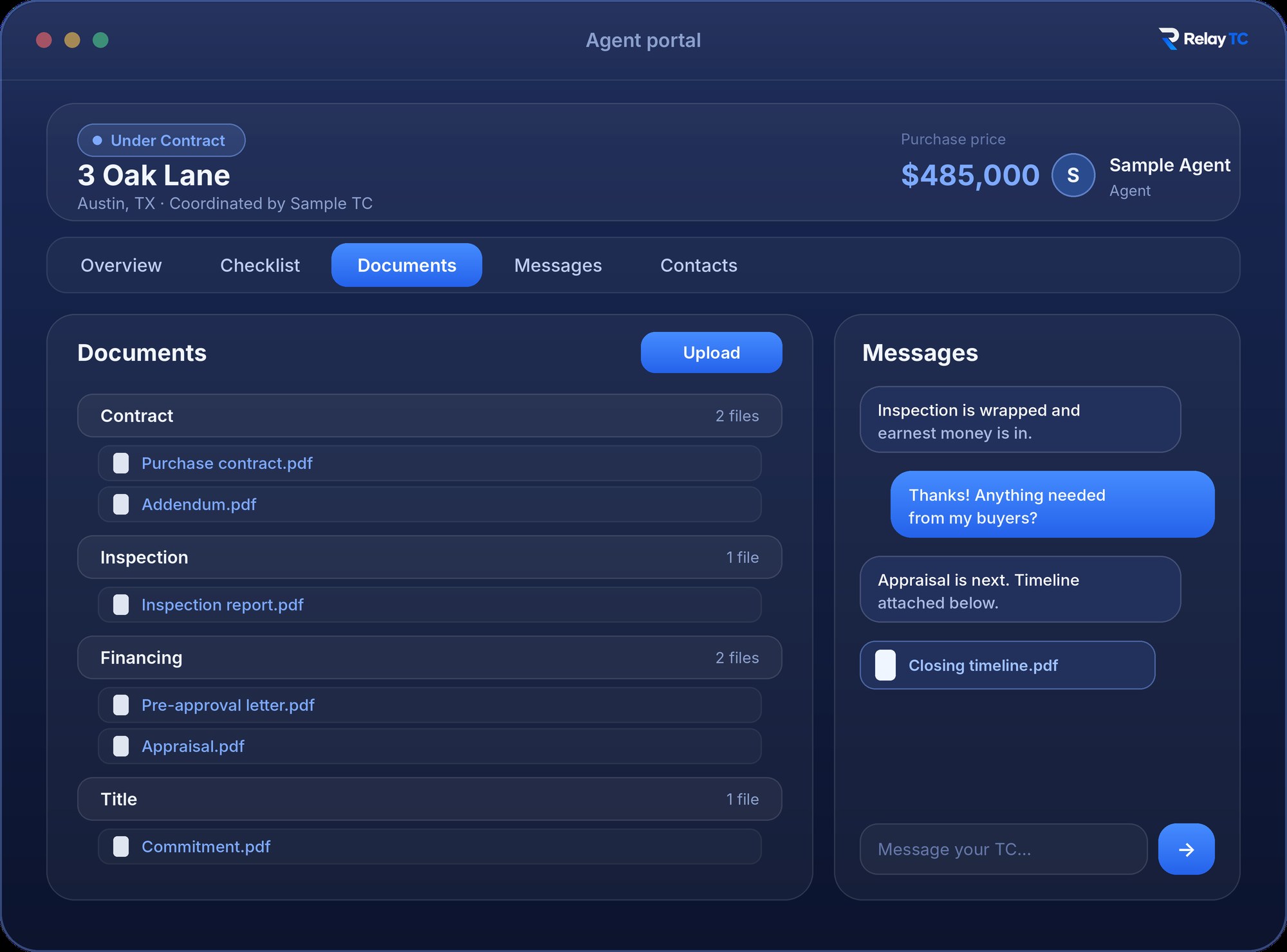
Everything for one deal, on one page. Illustration of the workflow.
New
Clients feel out of the loop. Not anymore.
Between an accepted contract and closing day, buyers and sellers wait weeks for news and end up texting you for updates. The Client Portal gives each of your clients a live progress page, so they always know where things stand, and you stop answering “any updates?”
Invite in a minute
Add a client by name and email, or pick them from the deal’s contacts. They get an email with their page, and you can resend, copy the link or turn it off any time.
You choose what they see
Tick the checklist steps and documents each client can open. Nothing is shared until you choose it, and you can share new documents automatically.
The right conversation, in the right place
A shared board for everyone on the deal, plus private threads with you and with your TC. Your TC chat stays separate and private.
- A clear status and progress bar, from contract to closing
- Important dates as a timeline: done, today, in 3 days, overdue
- Your agent and your TC, each with a clearly named role
- You get a heads-up when a client opens their page
Included with your free agent login, for every deal your TC adds you to.
What you can do
Everything below is included the moment a TC adds you -- free, for as many TCs, deals and listings as you work.
Keep your clients in the loopNew
Invite your buyer or seller and they get their own live progress page: where the deal stands, the checklist steps and documents you choose, and the dates ahead. Message them on a shared board or privately.
Your listings, before the contract
See the listings your TC shares with you: key dates, the checklist, offers, showings and feedback, price history, documents and contacts. Add your own contacts too. Your TC’s private notes stay private.
A heads-up, not another task
When a listing goes under contract and becomes an active transaction, you get a one-time note on your dashboard. There is nothing to accept and nothing new to set up.
One dashboard
Your deals and your listings sit side by side, with what is new called out, so you can see where everything stands without asking.
Dates on your calendar
Connect Google Calendar once and every deal, including new ones, shows up on its own and updates within seconds when your TC moves a date. Outlook or Apple Calendar? Use your private Relay link.
Work the checklist
Watch the deal move from contract to closing in real time, and check off your own steps, move a due date or note who a step is waiting on. Your TC is notified and keeps control of the steps themselves.
Documents, organized
Drag contracts, disclosures, and inspection reports straight into the right category, or grab anything your TC has already added. You decide which documents your clients can open. No digging through email threads for the latest version.
Message your TC directly
A general thread with your TC for everyday questions, plus a separate thread on each deal and listing, with file attachments. Clients get their own threads with you, kept separate from your TC chat.
Get paid without the back-and-forth
Once your TC generates your invoice, see the amount, due date, and status right on the deal -- and pay it in a couple of clicks through a secure Stripe link, no invoice email to hunt down.
Add the contacts you know
Loop in a lender or an inspector by adding them as a contact on the deal. Your TC keeps control of anything already there -- you can add, not edit or remove what's not yours.
One login, every TC
Work with more than one coordinator? The same login follows you. Every deal from every TC who's invited you shows up in one place, grouped by who you're working with.
What stays with your TC
Relay keeps the line clear between what you can see and do, and what's your TC's to manage.
- Adding, removing or renaming checklist steps -- you can check them off, your TC manages the list
- Sending signature requests -- you can mark something signed outside Relay
- Editing or removing a contact someone else added
- Any other client, deal, invoice, or billing detail of your TC's
Getting started takes one email
Your TC adds you
They add you to a deal or listing and Relay emails you access automatically -- no action needed until then.
Click the link, you’re in
No password required to start. Set one later if you’d rather not use email links every time.
Log in anytime
The same email works for every TC who invites you -- all your deals, one login, relaytc.com/agent/login.